

Point of sale, stock and online shop
Run your store from one place
Sell at the counter, keep track of every unit and every count, and put your stock online. Each business gets its own store, its own data and its own look.
We set up your store with you. Your team signs in from any browser.
What it does
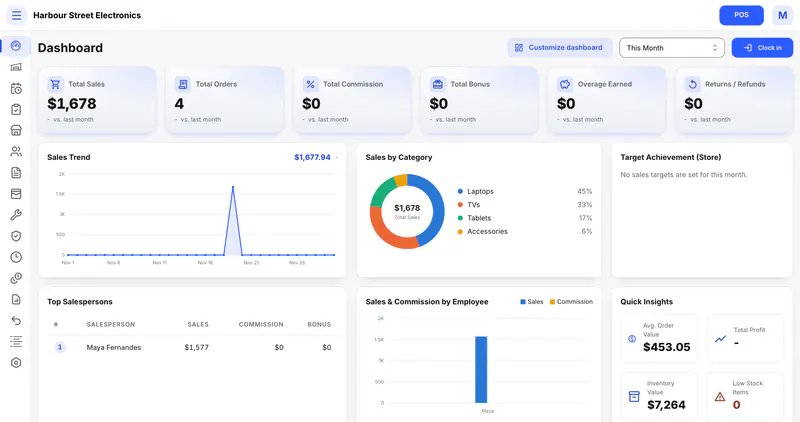
The work of a store, in one system
From the sale at the counter to the warranty claim a year later, each part knows about the others.
Selling at the till
Ring up sales, split a payment across methods, park a sale and come back to it, and print or email the receipt.
About sellingStock by serial or by count
Track one-off items by serial number, everyday items by quantity, or both in the same store.
About stockIntake before sale
Turn on an intake board when items need testing, repair or cleaning before they go on sale. You name the stages.
About intakeWarranties and service
Add base and extended warranties to a sale, print the certificate, and follow each service request to the end.
Documents you design
Invoices, quotes, delivery notes and receipts from ready made templates, on Letter, A4 or 80 mm till paper.
About documentsAn online shop
Your stock on your own storefront, with enquiries, store pickup or quote requests.
About the online shopRoles and permissions
Start from ready made roles such as cashier or store manager, or make your own, area by area.
About rolesYour own store and data
Each business has its own store, database and address. Every unit shows where it is: on the floor, in the warehouse or in transit.
AI help Optional
Fill in a new product's details from its brand and model number. A person checks them before saving.
Selling
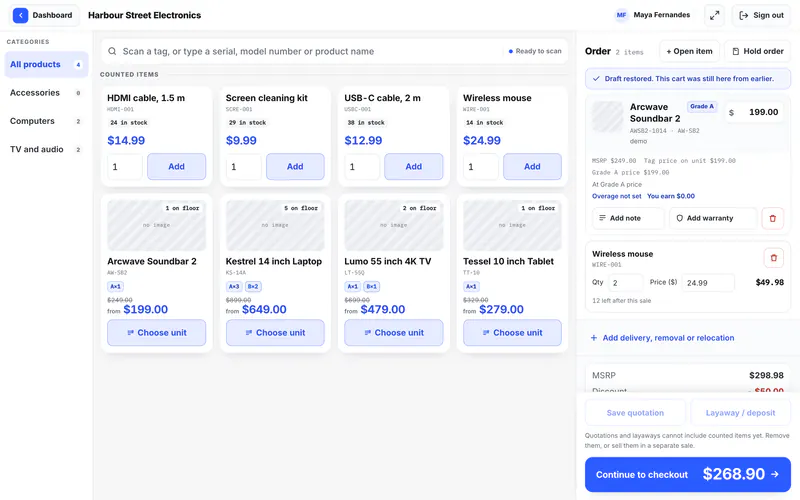
A till that keeps up with the counter
Find an item by name or with a barcode scanner, add a warranty, and take payment the way your customer wants to pay.
- Split a payment across methods, or leave a balance owing
- Park a sale and pick it up later, or hold a unit for a customer
- Returns and exchanges that keep the money and the stock right
Stock
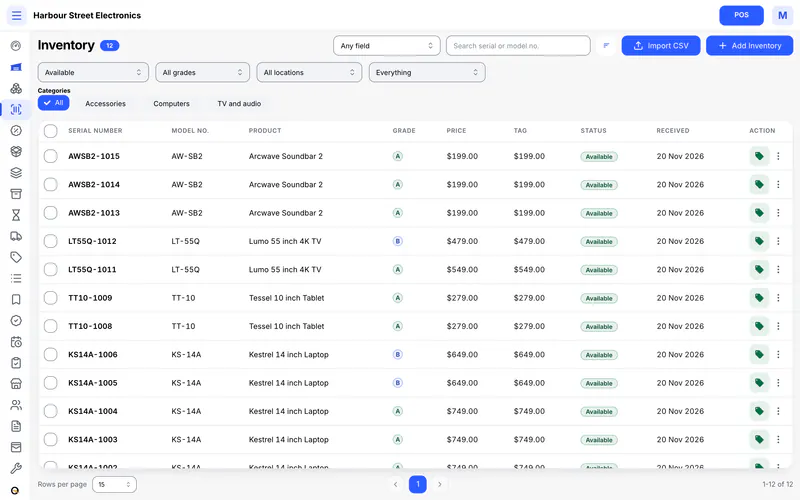
Every unit and every count
Serial numbered items and items you count sit side by side, so a laptop and a box of cables live in the same list.
- A record for each serial numbered unit, from intake to sale
- Counts that change with each sale, return and recount
- Price tags and stickers with a barcode, ready to print
Intake and warranties
From the back room to after the sale
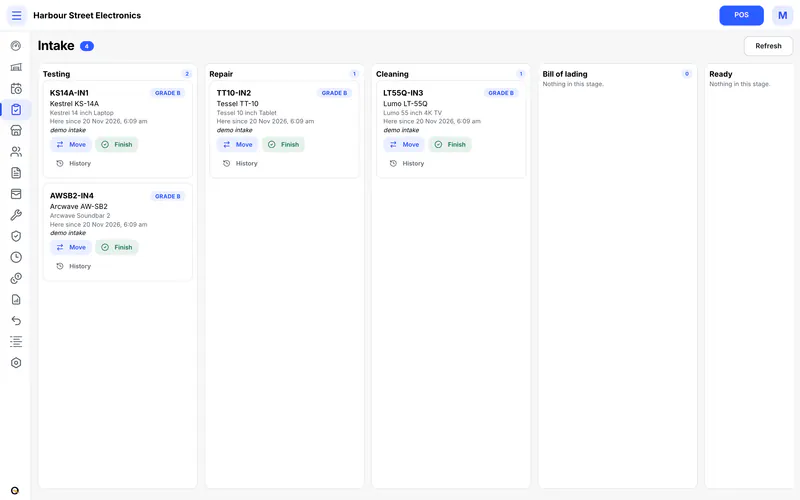
If items need work before they can be sold, the intake board shows each one by stage. After the sale, warranties and service requests stay with the item.
- Stages you name, for example testing, repair and cleaning
- Units in intake cannot be sold by mistake
- Service requests with parts, charges and a signature
Documents
Invoices and quotes that look like yours
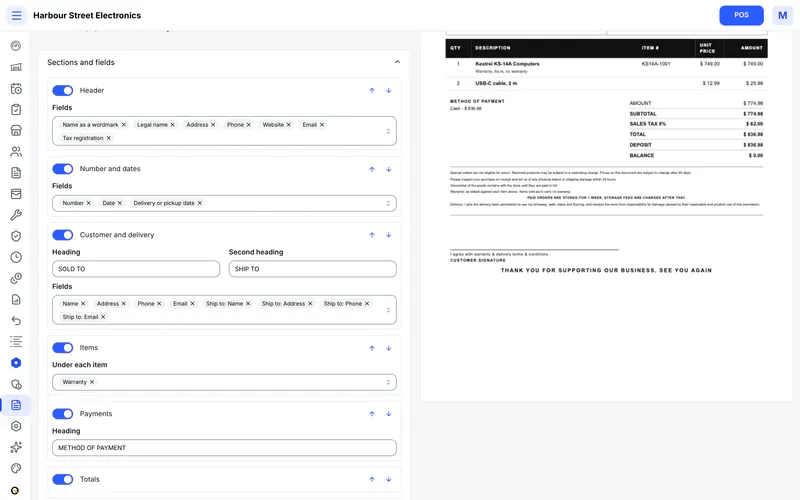
Pick a template for each document, then choose its sections, fields, colours and wording. The preview changes as you go, and the PDF is made for you.
- Seven document types, from invoice to delivery note
- Letter, A4 or 80 mm till paper
- Your own terms and footer, with fields filled in from the sale
Online shop
Your stock online, at your own address
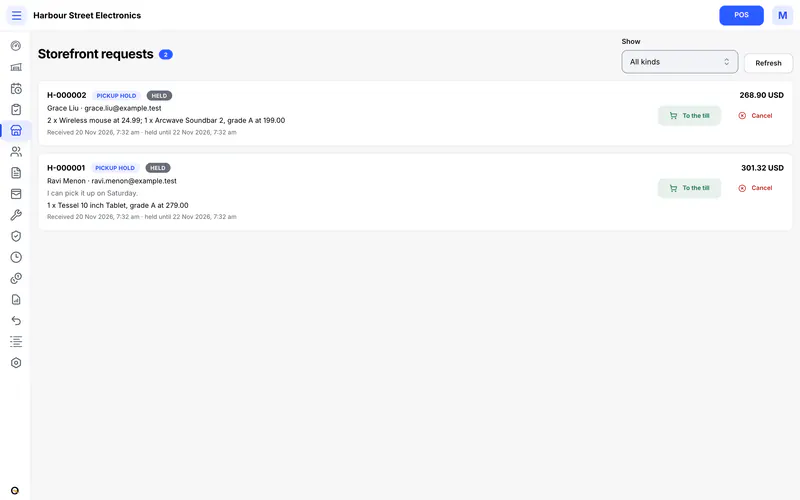
Your storefront shows what you have. Customers send an enquiry, hold an item for pickup or ask for a quote, and you take payment in the store.
- Listing with enquiries, store pickup or quote requests
- Your own domain for the shop and for your team's panel. We connect it for you
- Customers can sign in to see their requests and ask for service
Roles and permissions
Each person sees what their job needs
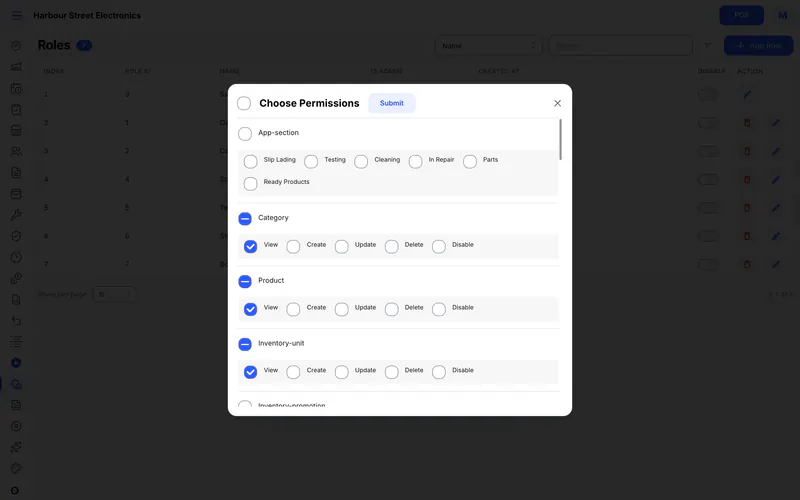
Give each person a role. Start from ready made roles for cashiers, sales, stock, technicians, store managers and bookkeepers, or build your own.
- Permissions area by area, from sales to settings
- A set of roles to pick in the setup wizard
- An activity log of who changed what
Setting up
Works for your kind of shop
A setup wizard asks how your shop works and sets the store up to match. You can change every answer later in settings.
Your business
Name, address, currency and the taxes you charge.
How you sell
At the counter only, or online too. Serial numbers, counts or both, and intake if you need it.
Team and paperwork
Pick a set of roles and a template for each document.
Your look
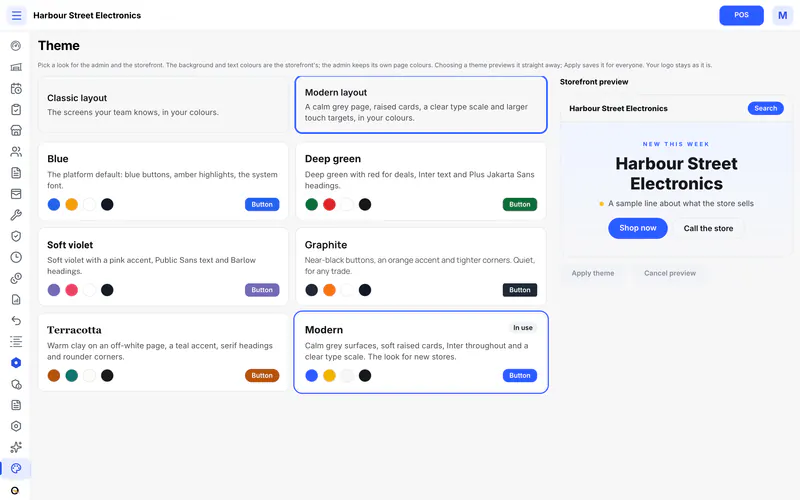
Choose a theme for your panel and your shop, then import your products.
On any screen
The same store on a desktop and a phone
Your team signs in from the computer at the counter or the phone in their pocket.
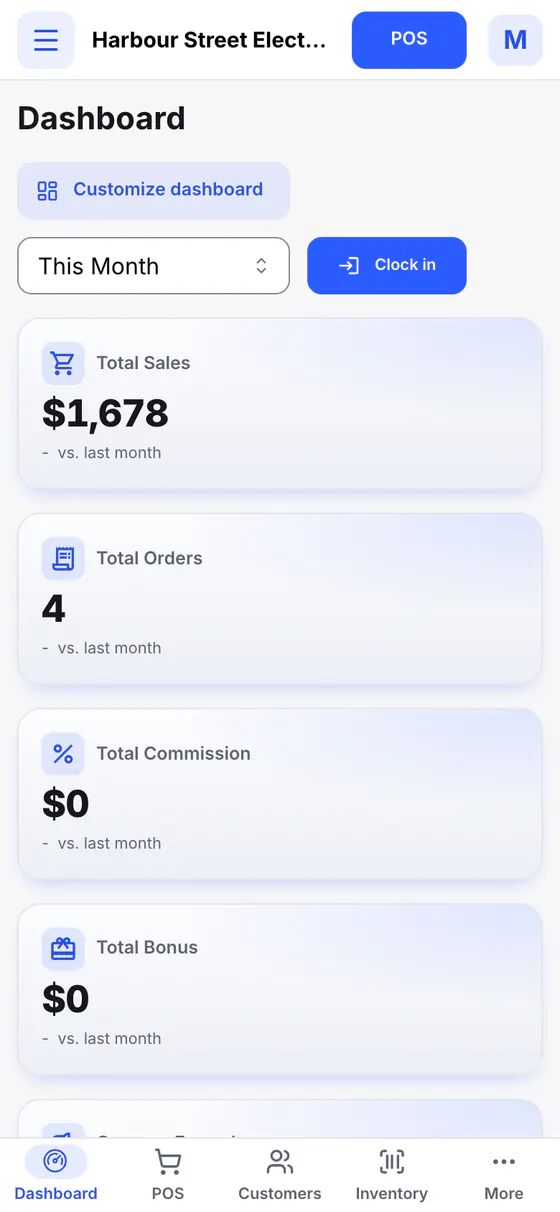
All screens on this page are from a demo store with made up products and customers.
The Ozoo family
Part of the Ozoo family
OzooPOS sits beside other Ozoo products, each for its own kind of business.
OzooERP
For corporate services, PRO and business setup firms: leads, quotations, client work, a client portal and billing.
Visit ozooerp.comOzooRental Coming soon
For businesses that rent things out. Not available yet.
Questions
Questions shops ask
Something else? Send us a message below.
Who sets up my store?
We do, with you. Tell us about your shop and we create your store and send you the sign in details. The setup wizard then walks you through the rest.
How much does it cost?
It depends on the size of your store. Talk to us and we will give you a price.
Can customers pay by card on my online shop?
Not yet. Today your online shop takes enquiries, pickup holds and quote requests, and you take payment in the store.
Do I need special hardware?
No. OzooPOS runs in a web browser. A barcode scanner works at the till, and receipts print on 80 mm till paper or on an office printer.
Can I use my own domain?
Yes. Your shop and your team's panel can each have their own address. We connect the domain for you.
Is my data kept apart from other stores?
Yes. Each business has its own database. Staff of one store cannot sign in to another.
What does the AI do?
It fills in a new product's details from its brand and model number, and a person checks them before saving. It is optional.
Can I bring in the products I already have?
Yes. The setup wizard has a step to import your products.
Get in touch
Talk to us
Tell us about your store and what you sell. We reply by email.
- A walk through the parts that matter to your shop
- A price for your store
- Help with setting up and with your own domain